
Choose a checklist for your gathering
Use this general sequence for the whole plan, or start with an example closer to your event:
- Birthday dinner checklist: meal, birthday details, helping jobs, and an evening timeline.
- Surprise birthday checklist: guest arrival instructions, secrecy, and a fallback.
- Dinner party checklist: a manageable menu, prep, serving, and cleanup.
- Potluck checklist: contributions, portions, serving gear, and changes.
- Friendsgiving checklist: holiday schedules, a shared meal, and a welcoming space.
Planning with others? Split the tasks with clear owners and handoffs before the work piles up.
1. Define the event before filling the calendar
This is a planning checklist, not a list of automated app features. Contracts, payments, reminders, and vendor arrangements may need separate tools.
- Write one sentence explaining why the event exists.
- Name the primary host or decision-makers.
- Estimate the number of guests.
- Set an initial budget cap and decide who can approve spending.
- List any immovable dates, accessibility requirements, or location constraints.
- Decide whether the event is private, invitation-only, or public.
The purpose should guide later decisions. A relaxed family dinner and a public fundraiser may have the same number of attendees, but they need completely different planning systems.
2. Create one shared source of truth
- Choose where dates, locations, ideas, decisions, people, and notes will live.
- Give collaborators access to that place instead of forwarding screenshots.
- Keep sensitive planning details separate from the guest-facing experience.
- Agree on how a suggestion becomes an approved decision.
- Record who owns each next step.
A group chat is useful for conversation, but it is a poor archive. Important context moves upward, links lose their meaning, and the same question gets answered more than once.
3. Shape the budget around real priorities
- Identify the two or three parts of the event that matter most.
- Reserve a contingency amount before allocating everything else.
- Estimate venue, food, travel, entertainment, photography, decor, and accessibility costs as relevant.
- Record deposits, due dates, cancellation terms, and remaining balances.
- Revisit the budget when a major idea is approved.
Budget conversations are clearer when the expense is connected to the event or decision it supports.
Use the party budget worksheet to separate estimates, committed totals, deposits, and balances, with a small birthday dinner example.
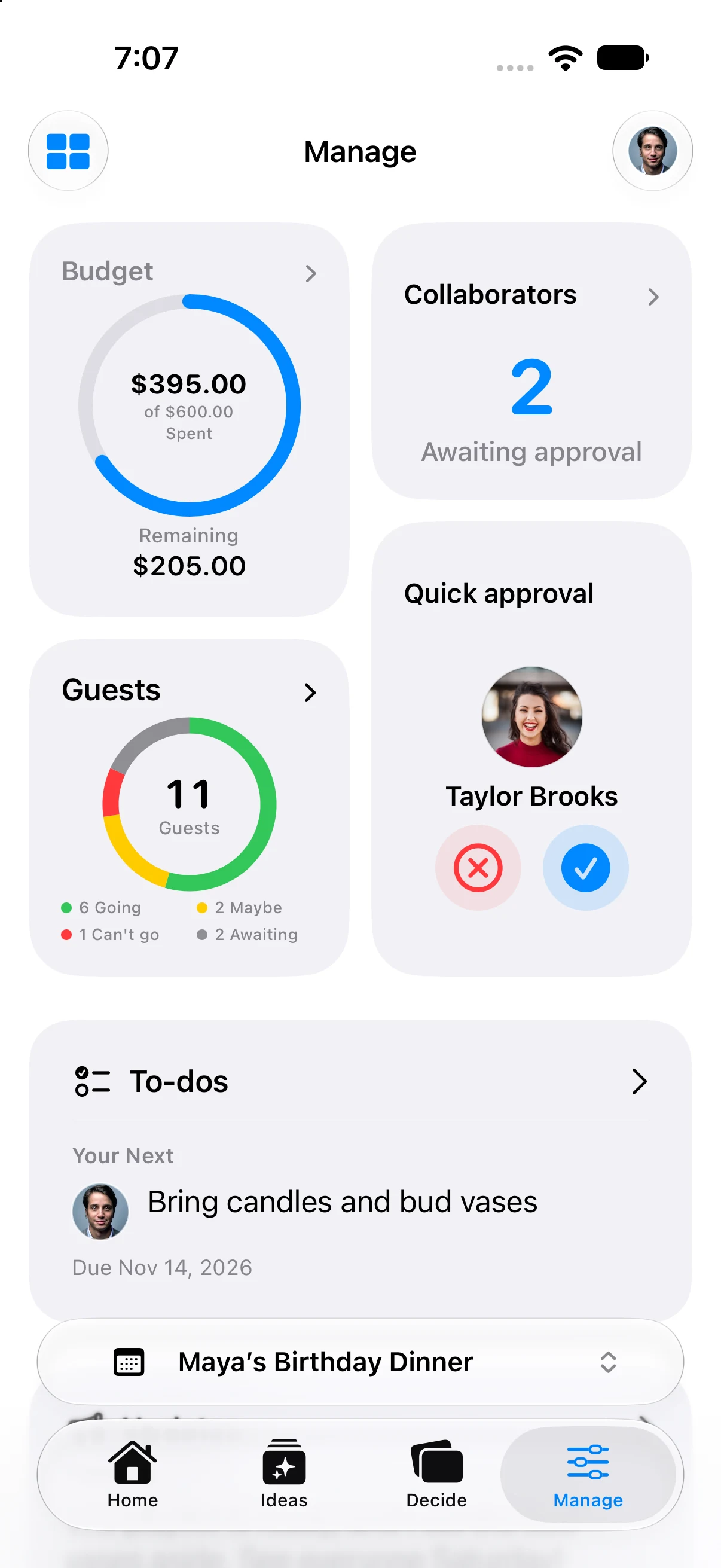
The native app’s fictional Maya’s Birthday Dinner fixture; amounts, guest counts, and tasks are demonstration data.
4. Choose the date and place
- Collect a short list of realistic dates.
- Confirm availability with essential participants.
- Compare venues on capacity, accessibility, location, restrictions, weather backup, and total cost.
- Document arrival instructions, parking, transit, and accommodations.
- Confirm the time zone for guests or collaborators planning from elsewhere.
- Save contracts and contact details in a predictable location.
Do not treat a tentative venue as confirmed in guest communication. Mark what is still undecided so collaborators do not build on a false assumption.
5. Map every connected event
Many gatherings include more than one moment. Add the rehearsal, setup window, tasting, welcome dinner, ceremony, reception, after-party, next-day brunch, or travel block as separate connected events when they have their own logistics.
For each event, record:
- purpose and status;
- date, time, and time zone;
- location;
- responsible host or collaborator;
- participant list;
- budget allocation;
- guest visibility; and
- unresolved decisions.
6. Build the people plan
- Create the initial guest list.
- Distinguish hosts, planning collaborators, vendors, and guests.
- Decide whether plus-ones or children are included.
- Collect accessibility, dietary, travel, and contact information only when needed.
- Assign collaborators a specific responsibility and deadline.
- Review who can see private notes, budgets, addresses, and unfinished ideas.
In Gatherory, share guest access for attendance and collaborator access for planning. Review collaborator-link permissions and whether approval is required before you send the link. Pending requests appear in Event Settings → People & Access → Join Requests.
Inviting someone into the planning process is different from inviting them to attend. Use roles that preserve that difference.
7. Turn ideas into decisions
- Capture options before evaluating them.
- Add the information needed to compare each option: cost, location, availability, fit, and owner.
- Set a decision date for anything blocking other work.
- Record the chosen option and why it won.
- Move approved event ideas into the schedule or action plan.
- Archive rejected ideas so they stop competing for attention.
This is where many plans stall. A saved idea feels like progress, but it only becomes useful when the group knows whether it is still being considered.
Gatherory’s Pass, Maybe, and Love It choices collect personal input. They do not approve or delete an idea. Review the team’s responses, including unanswered input, before an authorized planner approves it separately.
8. Build the schedule backward
- Start with the event’s fixed start time.
- Add setup, vendor arrival, host arrival, guest arrival, transitions, and cleanup.
- Include travel time between locations.
- Assign an owner to every critical handoff.
- Add a private host timeline and a simpler guest schedule.
- Confirm backup plans for weather, delays, or missing materials.
Leave margin. A schedule with no breathing room becomes inaccurate after the first late arrival.
The party planning timeline turns those steps into weekly milestones and a sample event-day schedule for a 6 p.m. dinner.
9. Prepare the guest experience
- Confirm the event name, date, time, location, dress guidance, and RSVP deadline.
- Send invitations only after the core details are stable.
- Explain what guests need to bring, know, or do.
- Share only the events and details relevant to each guest.
- Plan reminders for the RSVP deadline and final logistics.
- Make important accessibility and contact information easy to find.
Read the invitation as someone who has seen none of the planning conversation. If it assumes hidden context, revise it.
Start with the party invitation wording examples for a home dinner, restaurant celebration, potluck, or RSVP follow-up.
Check Who’s Coming for each event’s RSVP status: Going, Not Sure, or Not Going. Pull down to refresh before relying on the latest attendance count.
10. Run the final review
One week before the event:
- confirm vendors, reservations, quantities, and final balances;
- review attendance and outstanding responses;
- share the final schedule with hosts and collaborators;
- check weather and backup plans;
- prepare contact lists, materials, signage, and emergency items; and
- decide who can make event-day decisions if the primary host is unavailable.
On the day, keep one current plan. Last-minute changes should reach the people affected without forcing everyone else to reread the entire event.
After the event
- Confirm final payments and returns.
- Gather photos or shared memories.
- Send thanks to guests and collaborators.
- Record notes that would help with a future event.
- Archive sensitive information that no longer needs to remain active.
An event may end in a day, but a clear record of what happened makes the next gathering easier.