
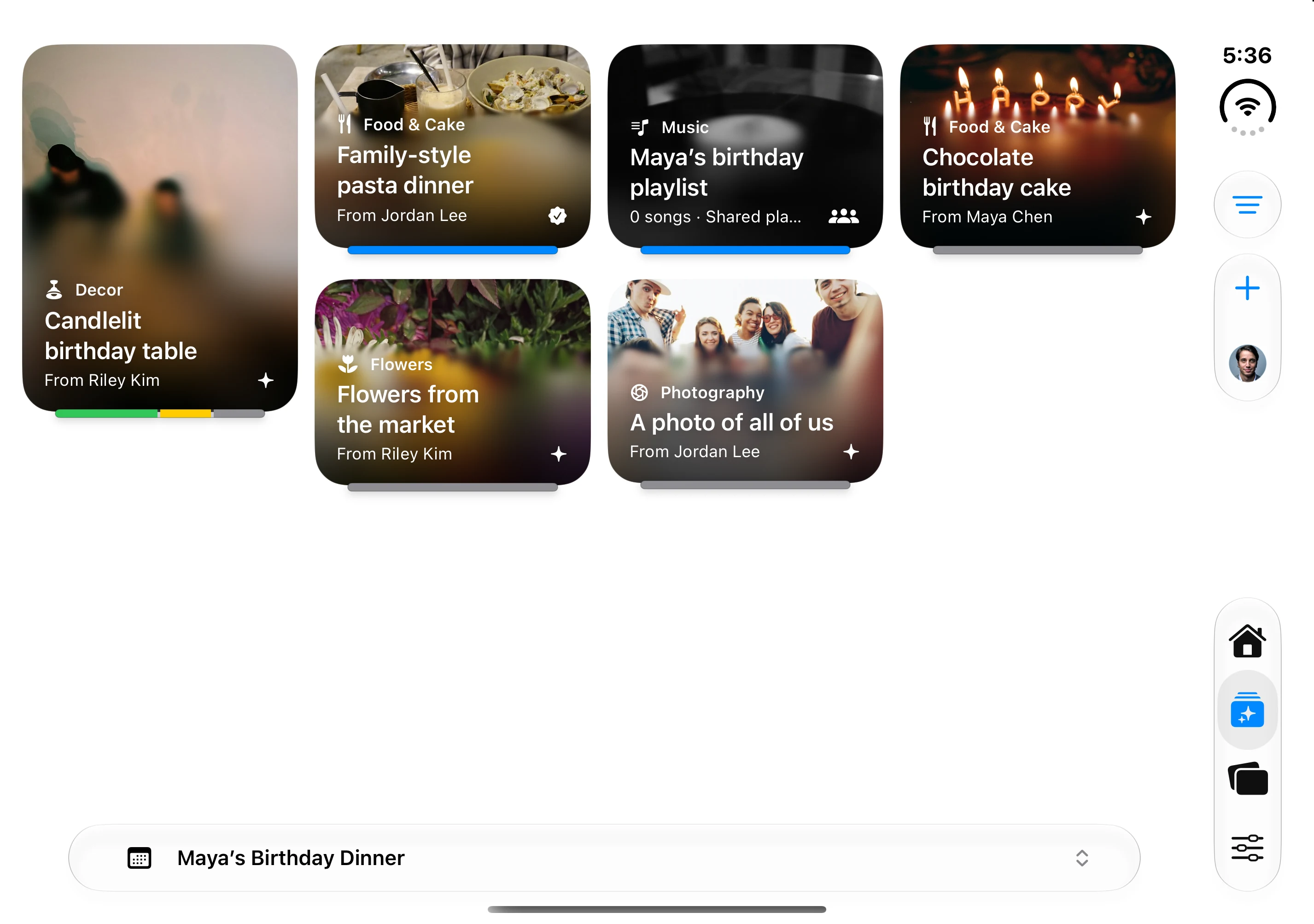
Share the plan, not just a group chat
A wedding, anniversary, trip, or family celebration often creates two parallel sets of notes. One person saves venues; the other collects music, meal ideas, and questions from relatives.
Gatherory keeps those possibilities attached to the event they support. A workspace holds the main gathering and its sub-events, such as a venue visit, welcome dinner, ceremony, or brunch.
Let each person respond
In Decide, Love It, Maybe, and Pass record your own preference. They do not approve or remove the idea for your partner.
The horizontal response bar shows support in green, uncertainty in yellow, passes in red, and unanswered input in gray. New eligible collaborators count as unanswered until they respond. Missing input is not agreement.
When you are ready, an authorized planner approves the idea separately. For Event ideas, approval and a date make the plan eligible to appear on Home.
Invite family with a clear role
Choose a role based on what the person needs to do:
- Host: manages the gathering and its people.
- Collaborator: participates in the planning views, with manage, contribute, or view-only permission.
- Guest: sees shared invitation content and responds for the event, without planning tabs.
A collaborator can see planning information that a guest cannot. View-only means they cannot make changes; it is not a way to hide individual planning details from that collaborator.
For collaborator links, enable approval if you want to review people before giving them planning access. Requests are available under Event Settings → People & Access → Join Requests.
Make the tradeoffs visible
Keep estimated prices with ideas while comparing options. Record event expenses and use Manage for spending and budget allocations.
Agree between yourselves on who approves a commitment. A green response bar is not a booking, a payment, or permission to spend.
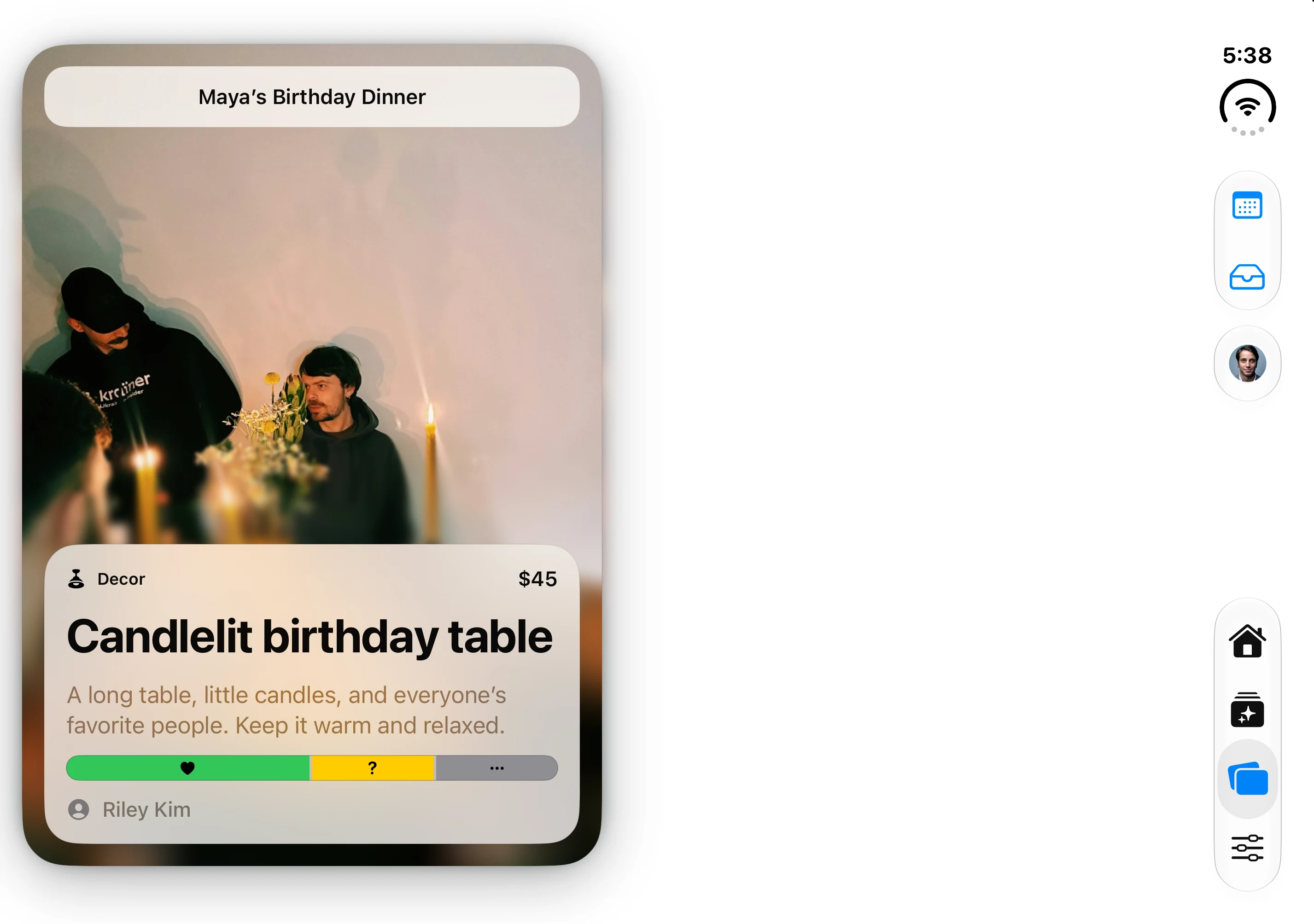
The native app’s fictional Maya’s Birthday Dinner fixture; the idea, cost, and preferences are demonstration data.
Keep the guest experience separate
Check which details are shown on the invitation before sharing it. Guests can respond Going, Not Sure, or Not Going. Who’s Coming reflects attendance for that particular event, not someone’s opinion of a planning idea.
A destination wedding may involve several days of shared moments. Add those as sub-events with their own dates and locations; a reusable package or business template is not required to organize the weekend.
Try a short weekly check-in
- Review new ideas and the event each belongs to.
- Respond individually in Decide.
- Discuss uncertainty or missing input.
- Approve the choices you have actually agreed on.
- Add dates to approved Event ideas and review upcoming cards on Home.
- Check costs and any guest updates.
The goal is fewer repeated questions—and more room for the gathering itself.