
What makes an event planning app good on iPhone?
A desktop feature list is not enough. On iPhone, the important questions are more immediate:
- Can you capture an idea in a few taps?
- Can another planner understand what changed?
- Can you see the next event or decision without opening five screens?
- Can guests respond without installing something unfamiliar?
- Does the app respect the difference between planning details and guest-facing details?
The best option depends on which of those questions matters most for your event.
Gatherory: planning that starts with the event
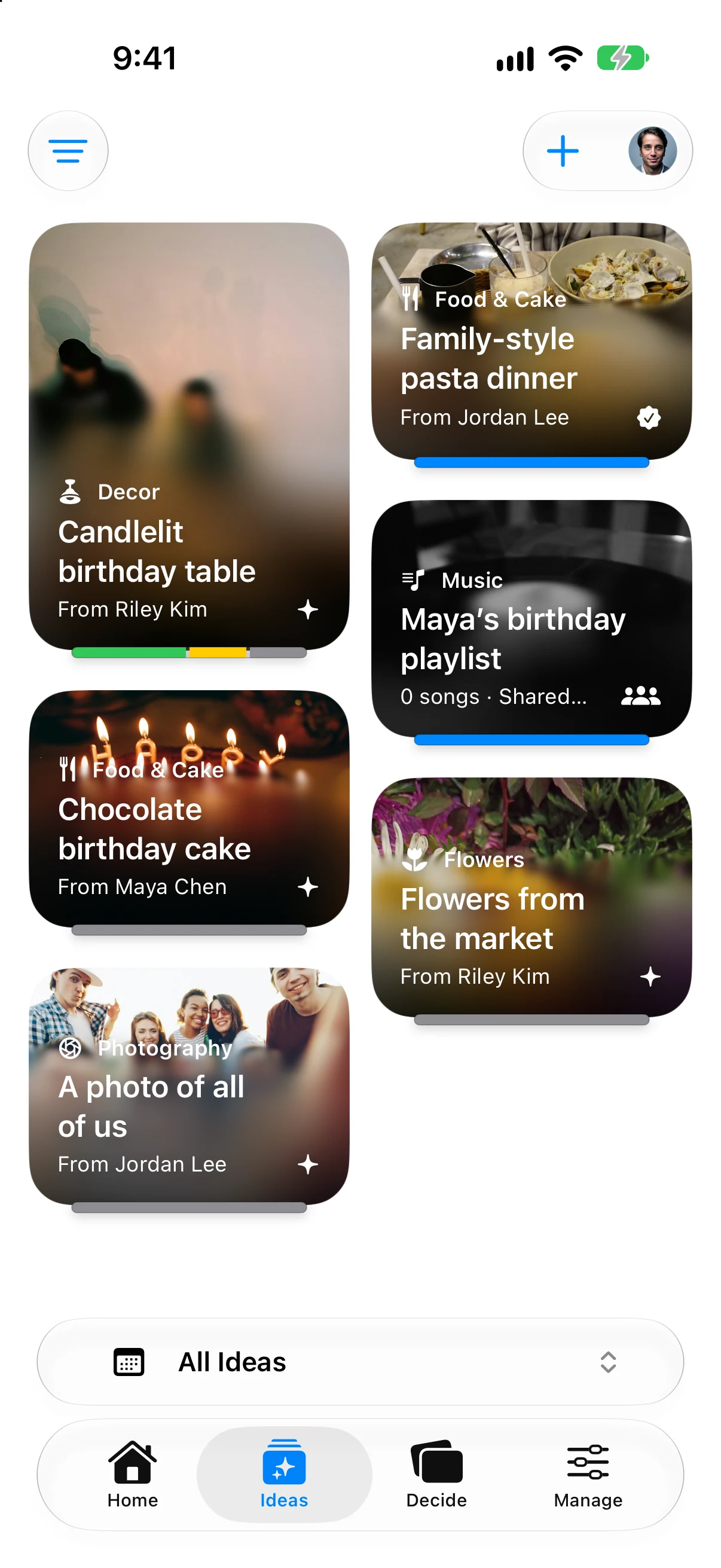
Gatherory’s iOS experience is organized around a main event and its sub-events. The four planning tabs are Home, Ideas, Decide, and Manage. Guests see shared invitation content without those planning tabs.
That structure is useful when you are planning with a partner, family member, friend, or coordinator. Each eligible planner can respond Pass, Maybe, or Love It. The team response bar includes unanswered input; approval remains a separate action. Approved Event ideas with dates can appear on Home.
The iPhone beta is open through TestFlight; see the iPhone page to join. Beta access is separate from an App Store release. This is Gatherory’s own workflow comparison, not an independent hands-on ranking.
Gatherory also distinguishes hosts, collaborators, and guests. That means the people helping shape the event do not have to receive the same experience as someone who only needs the invitation and schedule.
Choose Gatherory when planning is the hard part. Choose a ticketing platform instead when public registration is the hard part.
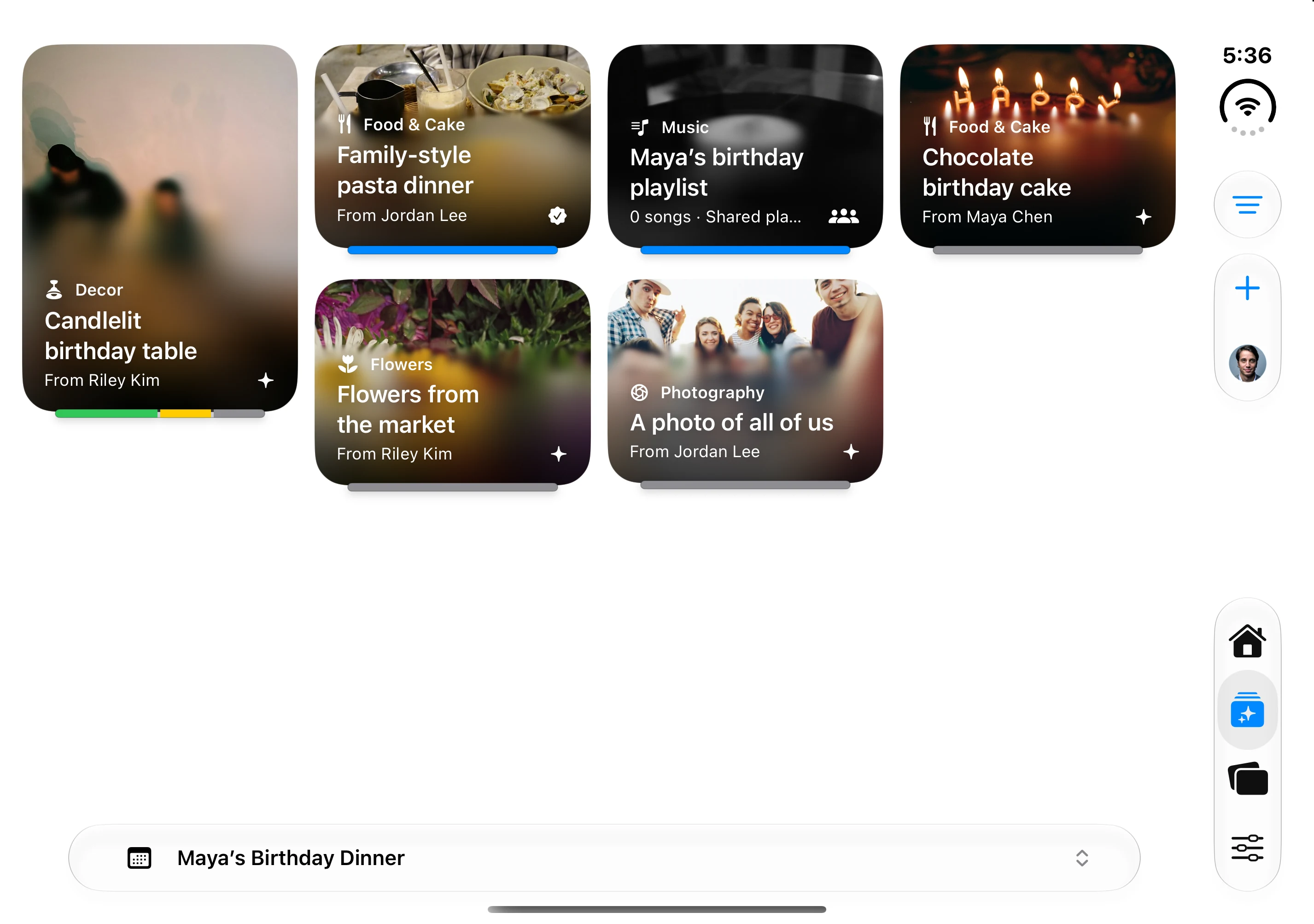
The native app’s fictional Maya’s Birthday Dinner fixture; idea cards and contributors are demonstration data.
Apple Invites: the Apple-native invitation choice
Apple Invites is a focused iPhone app for custom invitations. It supports link sharing, RSVPs, Shared Albums, and collaborative Apple Music playlists. Guests can respond from the web, including people without an Apple Account or Apple device.
The creation experience fits naturally into the Apple ecosystem, especially if you already use Photos, Music, Maps, and iCloud+. Its narrower scope can be a virtue when the event is already decided and you mainly need to invite people beautifully.
Partiful: quick invitations for social events
Partiful makes it easy to create a social event, share one link, collect RSVPs, send reminders, and keep guests engaged. It is especially well suited to parties, birthdays, dinners, and other gatherings where speed and energy matter more than a formal project plan.
Guests can respond without downloading the app. Hosts who want months of private planning, structured decisions, and several connected events may need more than an invitation-first flow.
Zola and Joy: wedding ecosystems on your phone
Zola offers an iOS wedding app with a website, checklist, guest list, budget, vendor discovery, invitations, paper, and registry. It is a good fit when you want wedding commerce and planning tools in the same ecosystem.
Joy provides iOS and Android access to a wedding website, guest list, invitations, RSVPs, schedules, travel information, messages, photos, and registry tools. It is a strong choice when the wedding website and guest journey are central.
Eventbrite: registration and check-in from iPhone
Eventbrite is the strongest fit in this group for ticketed or public events. Organizers can manage registration, ticket types, attendee information, reporting, promotion, and on-site check-in.
That makes it valuable for conferences, classes, performances, and community programming. It is usually more infrastructure than a private dinner, wedding weekend, or collaborative family event needs.
A practical iPhone test before you commit
Install your top two choices and try the same short exercise in each:
- Create a sample event.
- Add a location and one related activity.
- Invite one trusted person.
- Save an undecided idea.
- Change the event time.
- Check what your invitee sees.
The right app should make all six steps understandable without a tutorial. Pay particular attention to step six. A host’s workspace and a guest’s experience should not be identical by accident.
The best iPhone app is the one you will open
Event plans change while you are away from a desk. Choose an app that is calm enough to check quickly, structured enough to preserve context, and simple enough that the other people involved will actually use it.